Phaser Editor
Drag and drop objects into place, tweak their animations, adjust their physics bodies, enable special effects and more as you go. It's quicker and faster for both artists and developers alike and publishes to pure Phaser code.


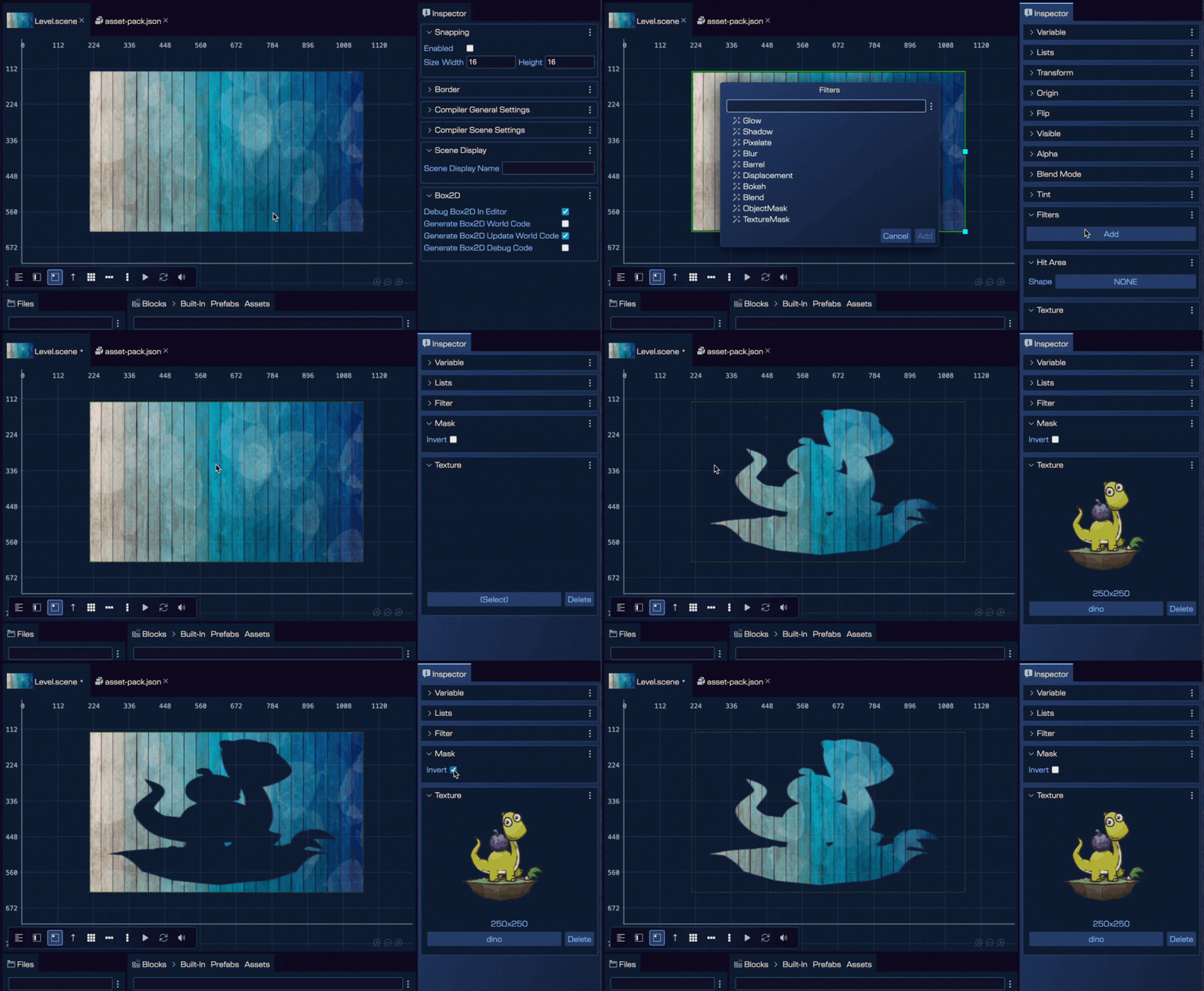
Phaser 4 is here, and v5 is fully ready for it. The most visible change is the new Filters system, which replaces the old FX system. Add and configure filters visually — Glow, Shadow, Blur, Pixelate, Bokeh, ColorMatrix, Displacement and more — directly in the Scene Editor's Inspector view, in real time.
All project templates have been migrated to Phaser 4, so new projects start on the right foot. And Phaser 3 compatibility is fully maintained — there's no pressure to migrate if you're not ready.
The new Mask filter is particularly exciting: it lets you use textures or even other game objects as masks, opening up effects that were previously tricky to set up visually.

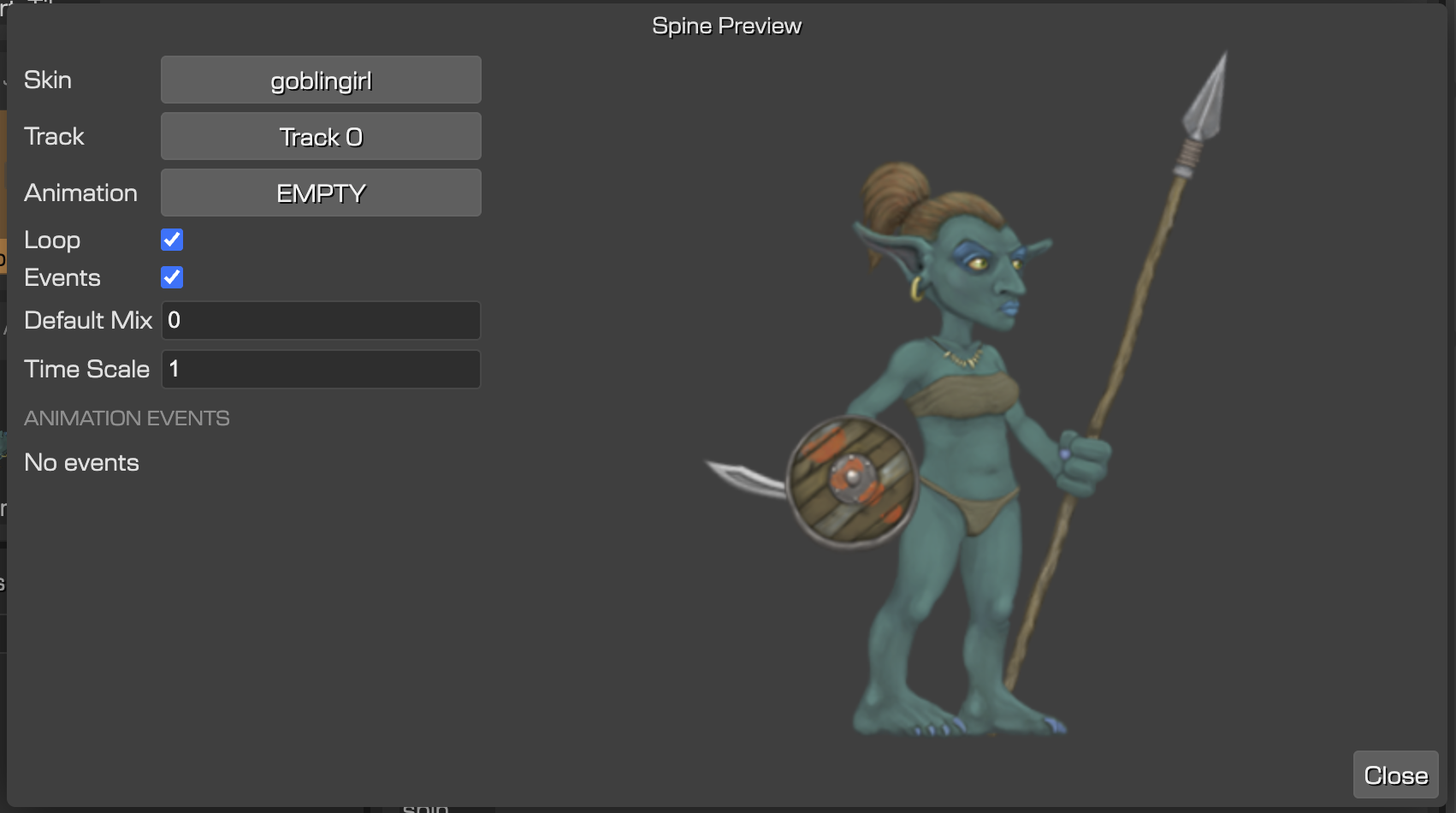
Spine 4.2 is fully supported, with virtually no changes needed to your existing animations. The Spine Preview window now shows animation event data, making it much easier to sync game logic with animation timing.

Ready to build smarter games?
Buy now — only $12 / monthThe built-in AI Chat lives right inside the editor. Configure it with Gemini, Claude, Cursor, any OpenAI-compatible model, or the wide range of models supported by OpenRouter.
Drag assets or scene files into the chat for context, and ask it to do things. Create a particle emitter, reorganise a scene into layers, rename a bunch of objects — it handles it without switching tools.
For power users, the MCP Server goes deeper. It implements over 40 specialised tools and integrates directly with Claude Desktop, Cursor, GitHub Copilot and other MCP-compatible tools. Setup is now a single click via AI → MCP Server Configuration — no manual JSON editing.
The AI works with your actual project assets, not generic placeholders. It understands texture dimensions, origins and spatial relationships, so the output fits your game from the start.
Stop fighting your tools. Start shipping games.
Buy now — only $12 / monthUse prefabs as templates, then unbox instances to customise them freely without touching the original. Perfect for level variations.
Assign colours to prefab types in the Outline view. With hundreds of objects, spotting types at a glance is a real workflow boost.
Hide objects while editing without affecting runtime. Press H to toggle. Perfect for keeping spawn points and trigger zones out of the way.
Define rules for how objects and components relate. Designers can work independently without breaking game logic. Built for large studios.
A new tool that shows tile indices on hover, plus rounded rectangle support, particle emitter animations and a Log View for tracking down issues.
System clipboard integration means you can now copy and paste objects between different projects — share setups across your whole team.
The scene preview is rendered directly with Phaser, so you can be sure that what you see is what you get in the final game. Drop new objects into the scene — Phaser Game Objects, Bitmap Fonts, images you've prepared with the Asset Packer or your own prefabs.
Once added just select an item to bring up the Inspector View, from where you can tweak all manner of properties. From tint colours, to changing the texture, to enabling special effects. Want to scale, rotate or move the object? Use the motion tools built into the editor and just drag it around the scene or adjust as required.

Tools for easily creating and modifying Arcade Physics Game Objects. Make dynamic or static bodies, set body geometry and control all of the movement settings such as velocity, mass, gravity, damping, drag and rotation. Also configure collision values such as making bodies pushable, immovable, bounce, friction and overlap.

A smart tool for manually or automatically creating sprite animations from texture frames. With a live animation preview and animation properties editor. Easily set the frame rate, delay, repeat, time scale and more.

Even small games can end up having a lot of different assets. The Asset Pack Editor provides visual tools for you to clearly see which type of assets you've got in your game, with built-in preview, key and url inspector and easy export into a single JSON file. Naturally, the rest of Phaser Editor works seamlessly with these Asset Packs.

Prefabs are a key concept in Phaser Editor. They allow you to create reusable, customised objects that contain all of their own appearance, properties and settings within them. These can then be replicated around the game as needed. Familiar to anyone coming from Unity. These handy little template objects can be used for anything from enemies, to coins, to the player object itself.


Pick a 1, 3, or 6 month plan and it cancels itself when your project's done. No more forgetting to unsubscribe — no other tool gives you that.